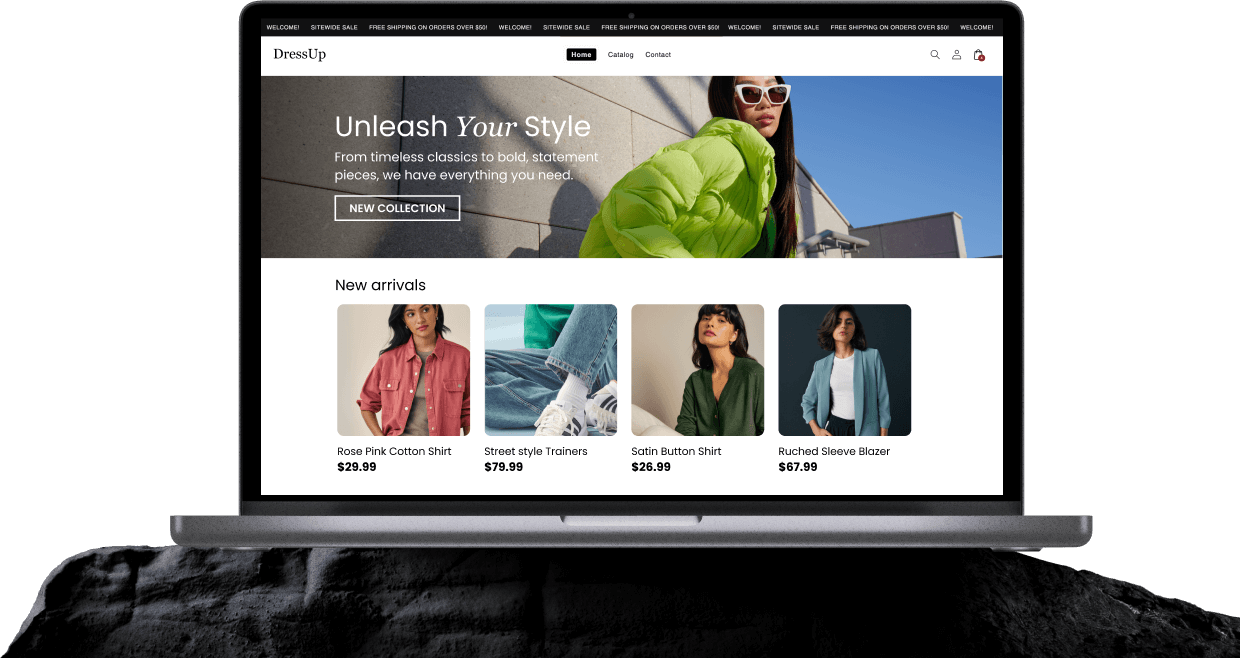
Shopify Collections
Shopify collections are dedicated pages that group products by category, type, price, season, or another shared characteristic. For example, a store might create collections for “Running Shoes,” “New Arrivals,” or “Gifts Under $50”. They help shoppers find relevant products faster and give search engines more focused pages to crawl and rank.
Without collections, shoppers would have to sort through the entire catalog instead of browsing clear product groups.
Shopify Collections in Detail
A Shopify collection page usually includes a title, description, featured image, and the products assigned to it. The products can also be arranged using sort options such as best-selling, price, newest, or manual order.
From there, collections can appear throughout a store, including the main navigation, homepage sections, search results, and filtering experiences. Shopify supports two main types:
- Manual collections, where products are added individually.
- Automated collections, where products are included based on set conditions.
Older Shopify documentation and some apps may refer to these as custom collections and smart collections.
At the same time, a single product can belong to several collections. A coffee maker, for instance, might appear in “Kitchen Appliances,” “Best Sellers,” and “Gifts for Home”.
Together, these layers turn a long product catalog into a structure shoppers can actually move through. Instead of browsing everything at once, they can follow clearer paths based on category, interest, or intent.
Manual vs. Automated Shopify Collections
The key difference between manual and automated Shopify collections is simple: products can be chosen by hand, or Shopify can add them automatically when they match a set of rules.
| Aspect | Manual / Custom collections | Automated / Smart collections |
|---|---|---|
| How products are added | Selected individually | Added when they match set conditions |
| Best for | Small catalogs, curated picks, and short seasonal selections | Larger or frequently changing catalogs |
| Effort | Quick to set up, but needs ongoing manual updates | More setup upfront, but less day-to-day maintenance |
| Watch out for | Easy to forget adding or removing products | Broad or poorly set rules can pull in the wrong products |
Manual collections (also called custom collections) give full control over exactly what appears. They work especially well for smaller catalogs or tightly curated groups such as “Staff Favorites”, a limited holiday edit, or a handful of products featured in a campaign. The trade-off is maintenance: when the assortment changes, the collection has to be updated by hand.
Automated collections (also called smart collections) use conditions to determine which products qualify. Shopify supports rules based on details such as product tags, type, vendor, price, and inventory stock, among others. With multiple rules, items can be required to match all conditions or just any one condition. For example, a collection could automatically include every product tagged “dog toys”.
For a small catalog, manual selection is often the easiest place to begin. As it grows and changes more frequently, automated rules can take much of that upkeep off the list.
Why Are Shopify Collections Important For eCommerce Sellers?
Shopify collections make a store easier to navigate. Instead of scanning an entire catalog, shoppers can move straight into relevant categories and find products faster. That smoother path can reduce unnecessary browsing friction, help keep visitors engaged, and support conversions without guaranteeing a specific result.
Collections also create useful SEO landing pages. Each one has its own URL and can target category searches such as “women’s running shoes”. The collection description itself is editable, while Shopify’s search engine listing lets you customize the page title, meta description, and URL handle, giving Google and other platforms clearer context about the page.
A few simple practices help keep collections useful:
- Use clear, search-friendly names that match how shoppers describe the category.
- Add a short collection description that explains what visitors will find there.
- Avoid near-duplicate collections that compete for the same purpose or search intent.
- Keep navigation simple so the most useful collections are easy to reach.
Frequently Asked Questions
What is the difference between manual and automated collections in Shopify?
The difference between manual and automated Shopify collections is how products are added. Manual collections are built product by product, while automated collections use conditions such as tags, product type, vendor, price, or inventory to automatically include matching products.
How many collections should a Shopify store have?
There is no ideal number of Shopify collections for every store. The right amount depends on catalog size and how shoppers naturally browse it. A smaller store may only need a handful of clear categories, while a larger catalog can support more, as long as each collection has a distinct purpose.
Do Shopify collections help with SEO?
Yes, Shopify collections can help with SEO by creating dedicated category pages with their own URLs, titles, descriptions, and searchable content. Well-structured collections can target broader category queries, but creating them alone does not guarantee higher rankings.
Can a product be in more than one collection?
Yes, a Shopify product can belong to more than one collection at the same time. This makes it possible to organize the same item in different ways (for example, by product type, season, price range, or campaign) without creating duplicate products.