

You’ve built your Shopify store. Your products are uploaded, everything looks great, and you’re ready to sell. Just one problem: how are people supposed to find you? That’s where ecommerce keyword research comes in. I’m talking about the words real shoppers type into Google to find products like yours. SEO territory.
Here’s the thing: your customers don’t necessarily speak your supplier’s language. What a supplier calls a “portable ultrasonic humidifier,” shoppers might search for as a “mini desk humidifier.” And that distinction matters when deciding how to present your products online.
In this guide, I’ll show you how to find those search terms, evaluate their potential with free tools, and choose keywords your store has a realistic chance of ranking for. Then comes the practical part: putting them to work in your Shopify titles, descriptions, URLs, images, and blog posts.
One thing to keep in mind, though: SEO is a long game. Results can take months, so don’t expect overnight traffic. Instead, think of it as a strategy that builds momentum alongside your paid ads and social media efforts.
What Is Ecommerce Keyword Research?
Ecommerce keyword research is the process of finding the exact words and phrases shoppers type into Google when looking for products like yours. The goal? Help your store’s pages appear in the search results that matter.
Now, there’s an important distinction here. Product research asks, “What should I sell?” while keyword research asks, “What do people call it when they search for it?”.
Let’s say you already sell a ceramic pour-over coffee dripper. Great! But are potential customers searching for “pour over coffee maker,” “ceramic coffee dripper,” or something else entirely? That’s what keyword research helps you figure out.
The 3 Types of Keywords Every Store Needs
Before you start researching keywords, there’s something worth understanding: different searches call for different pages. Someone looking for a specific product isn’t necessarily searching for the same thing as someone comparing options or looking for advice.
For your Shopify store, I’d focus on three types:
- Product Keywords: These describe a specific item and belong on product pages, where shoppers can learn about it and make a purchase. Example: “ceramic pour over coffee dripper”.
- Category Keywords: These describe a broader group of related products and work best on collection pages, where shoppers can browse different options. Example: “pour over coffee makers”
- Question Keywords: These capture searches for information, comparisons, or advice, often using phrases like how to, best, or vs. They’re ideal for Shopify blogging to answer a specific question. Example: “how to use a pour over coffee dripper”
How to Do Keyword Research for Ecommerce, Step by Step
So, how do you do keyword research for ecommerce without getting lost in endless spreadsheets? I’ll walk you through the process using the ceramic pour-over coffee dripper as an example. We’ll start with the words shoppers actually use, narrow down our options with free tools, and figure out which keywords deserve a place on each Shopify page.
One step at a time:
Step 1: Start With What Customers Actually Call Your Product
First things first: forget about your supplier’s product title for a moment. Those names are often packed with technical specifications, awkward descriptions, and words that real shoppers would rarely type into Google. Take our ceramic coffee dripper, for example:
- Supplier-style title: “400ML Ceramic Coffee Filter Dripper Reusable Manual Brewing Cone Holder for Home Kitchen”
- Customer-friendly phrasing: “ceramic pour over coffee dripper”
See the difference? Both describe the same product, but the second sounds much closer to something a person might actually search for.
So, where can you find that language? Start with customer reviews, both on your own products and on competitors’ listings. Pay attention to recurring words and descriptions. Reddit discussions and coffee enthusiast forums are also useful places to observe how people talk about products. A simple trick? Ask a friend how they’d search for your product without telling them its name. Their answer might surprise you.
Now, write down 5–10 potential search phrases. For our coffee dripper, an initial list might include “ceramic coffee dripper,” “pour over coffee maker,” “manual coffee dripper,” “single cup pour over coffee maker,” and “pour over coffee cone.”
Don’t worry about getting them perfect yet. These are just ideas, not verified keywords. In the next step, we’ll use Google to see how people actually phrase their searches.
Step 2: Expand Your List With Google Autocomplete and Related Searches
You’ve got your first keyword ideas. Nice! Now it’s time to see how people actually search for them. And for that, Google itself is one of your best free resources.
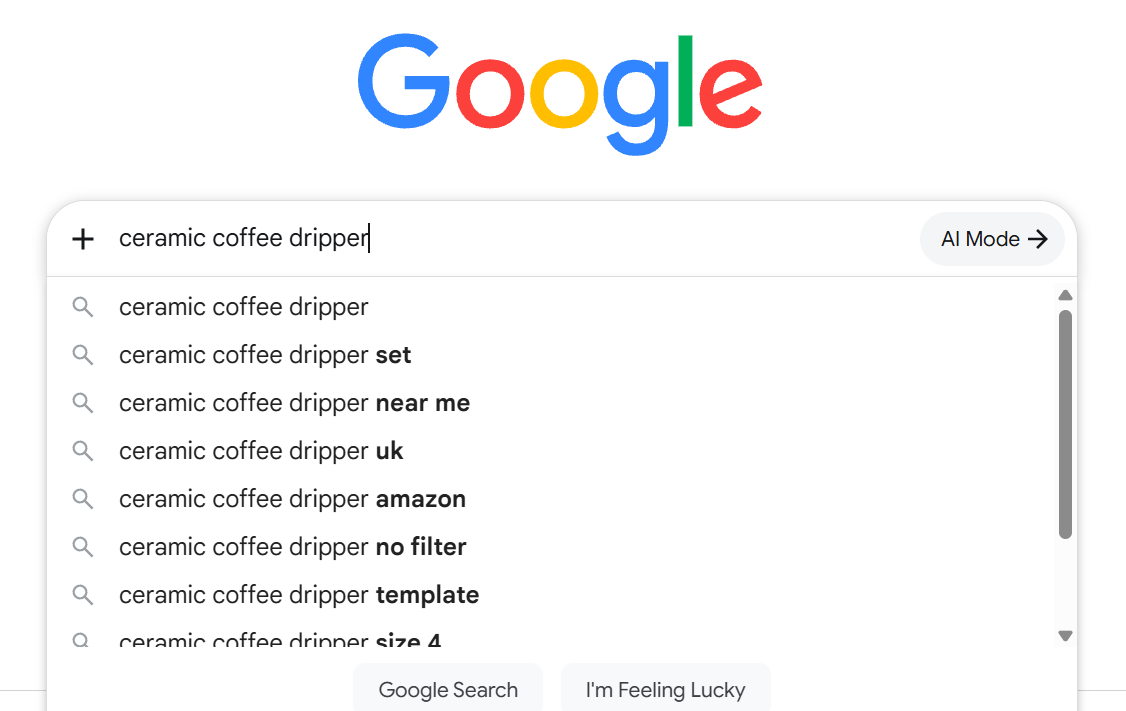
Start typing each phrase from your list into Google’s search bar. Don’t hit Enter just yet. See those suggestions appearing underneath? That’s Google Autocomplete, which uses real search activity to predict what people might be looking for.
Try entering “ceramic coffee dripper” and pay attention to variations involving materials, sizes, or specific uses. Then run the search and check two more places:
- People Also Ask: Questions related to your search, which can inspire informational keywords and future blog posts.
- Related searches: Additional queries Google may display near the bottom of the results page, helping you spot alternative wording and related topics.
For a more shopping-focused perspective, head over to Amazon’s search bar. Type your coffee dripper keywords there and look at its autocomplete suggestions.
As you explore them, keep adding relevant variations and questions to your list. By the end of this step, aim for around 20–30 potential keywords. Some will overlap, and others might lead nowhere. That’s perfectly fine: the goal is to gather enough possibilities to make an informed choice.
Step 3: Check Search Volume and Competition With a Free Tool
You’ve collected plenty of keyword ideas. But which ones are actually worth targeting? Before picking your favorites, you need to look at two things:
- Search volume: The estimated number of times people search for a keyword each month. Higher volume generally means more demand, but not necessarily more visitors to your store.
- Keyword difficulty (or competition): An estimate of how hard it would be to rank for that keyword in Google’s organic search results. The tougher the competition, the harder it may be for a new store to break through.
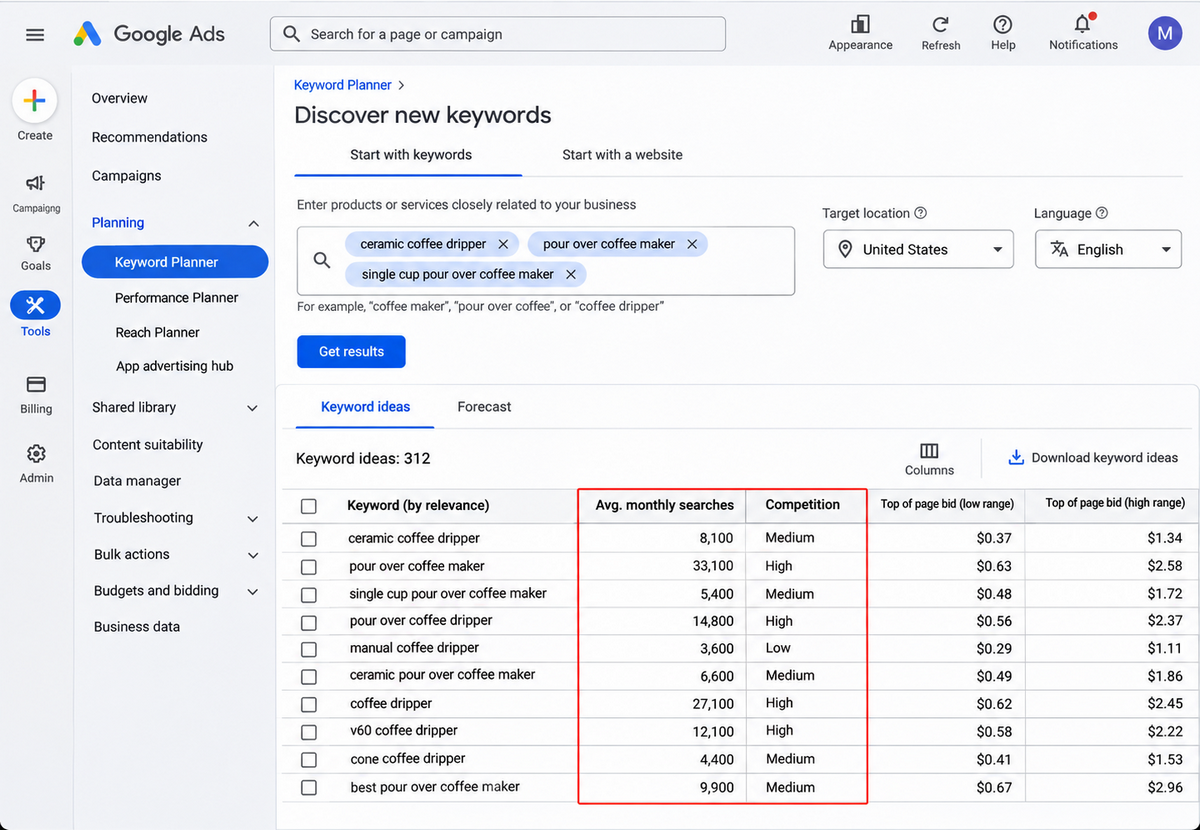
For a free look at search demand, head to Google Keyword Planner. You’ll need a Google Ads account, and Google may require you to complete account setup.
Select Discover new keywords and enter a few phrases from our coffee dripper list, such as “ceramic coffee dripper,” “pour over coffee maker,” and “single cup pour over coffee maker.” Choose your target country, then compare the Avg. monthly searches column.
You’ll also notice a column labeled Competition. There’s a catch: this measures competition among advertisers, not how difficult it is to rank organically. For a basic SEO check, search each phrase on Google and examine the results. Are established retailers dominating the page? Do smaller specialty stores appear? Are the results even showing the type of product you sell?
Together, these clues can help you judge which keywords are more realistic targets. And there’s no need to obsess over exact figures. Rough search-volume ranges and a general sense of the competition are enough to compare your options.
Step 4: Pick Specific, Lower-Competition Phrases Over Broad Ones
Here’s where things get interesting. You might be tempted to pick the keyword with the highest search volume. More searches, more potential customers, right? Well, not quite.
Take “coffee maker.” It’s a broad term with plenty of potential traffic, but a brand-new Shopify store would have a tough time competing against major retailers and established coffee brands. Besides, someone searching for a coffee maker might not even be interested in a pour-over dripper.
Now consider “ceramic pour over coffee dripper for one cup.” It’s much more specific, which is exactly the point. These longer, targeted phrases are called long-tail keywords, and they can offer smaller stores a more realistic way into Google’s search results.
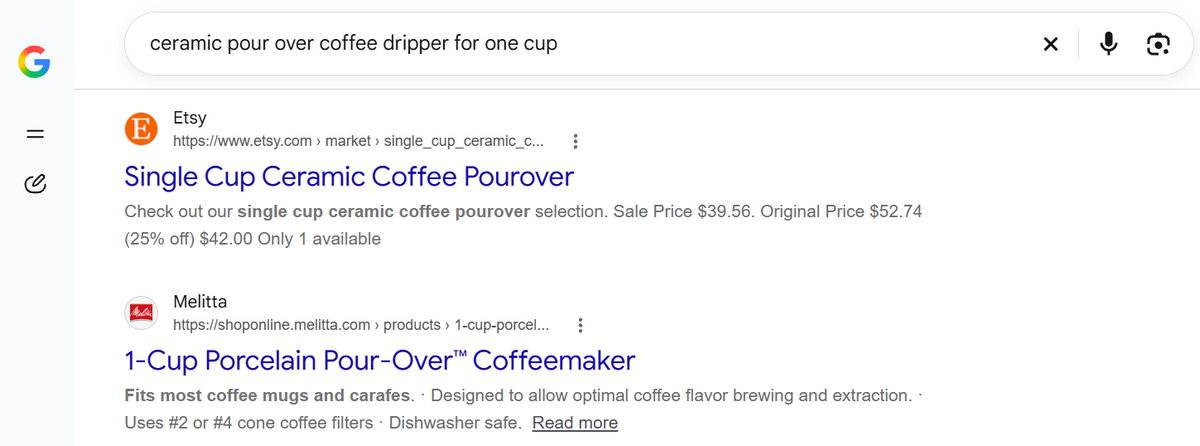
But how can you tell whether a keyword is worth pursuing? Go straight to Google and check the first page of results:
- Mostly major brands and marketplaces? That’s a sign of tough competition. Set the keyword aside for now.
- Smaller specialty stores, blogs, or forum discussions? There may be an opening, especially if you can create a page that better answers what shoppers are looking for.
Try this with both “coffee maker” and our longer coffee dripper phrase. Beyond checking who’s ranking, notice what kind of pages appear. Are people being shown products to buy, collections to browse, or articles to read? That distinction matters. The right keyword needs the right page behind it, which brings us to the final step.
Step 5: Match Each Keyword to One Page
You’ve narrowed down your list. Now comes the part that ties everything together: deciding where each keyword belongs.
Think of it as giving every search term a home. Each Shopify page should focus on one main keyword, supported by a few closely related variations. This simple arrangement is called a keyword map, and it helps you organize your store around what shoppers are actually looking for. Let’s see how that might work for our coffee dripper store:
| Shopify Page | Main Keyword | Related Keywords |
|---|---|---|
| Product page | ceramic pour over coffee dripper for one cup | single cup ceramic coffee dripper, ceramic pour over dripper |
| Collection page | pour over coffee makers | manual coffee makers, pour over brewers |
| Blog post | how to use a pour over coffee dripper | pour over coffee instructions, how to make pour over coffee |
Notice how each page serves a different purpose? The product page targets someone looking for a specific item, the collection helps shoppers browse related products, and the blog post answers a question.
There’s another reason to keep things organized: when two pages target the same main keyword, they may end up competing against each other in Google’s results. Giving each page a distinct focus helps avoid that overlap.
And there you have it! We’ve gone from a handful of customer phrases to a full keyword plan for your store.
💡 Pro Tip: Keyword research is a great starting point, but there’s more to Shopify SEO than choosing the right search terms. This guide to improving SEO on Shopify covers the bigger picture, from optimizing your pages and site speed to internal linking and blogging.
Free Tools for Ecommerce Keyword Research
The best part of all this? You don’t need a paid SEO subscription to get started. These three free Google tools cover the essentials, from finding keyword ideas to spotting opportunities in your existing search traffic.
Google Autocomplete and Related Searches
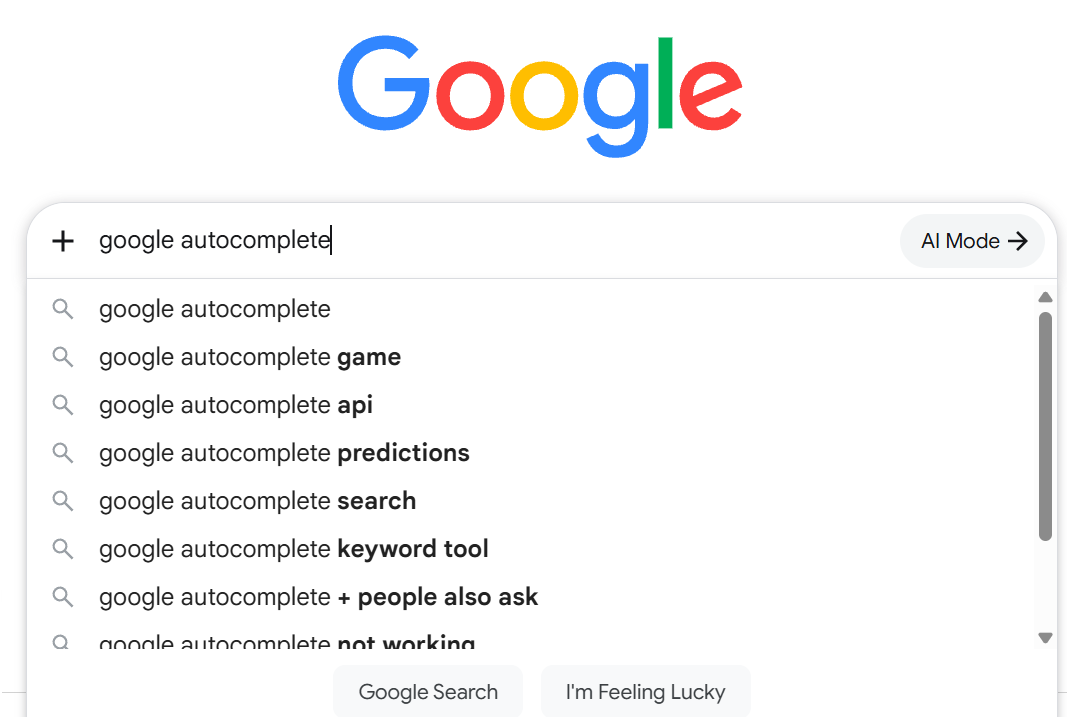
Google’s search suggestions reveal how people phrase their queries, while related searches help you uncover variations and new angles. Both are free to use without a subscription or a set daily research limit, although they won’t tell you how many people search for a phrase or how difficult it is to rank for.
Google Keyword Planner
Available for free through a Google Ads account, Keyword Planner helps you find related keywords and estimate their monthly search volume. You don’t need to spend money on ads to research keywords, although account setup may require billing details, and accounts without ad spend typically see broad volume ranges rather than precise figures.
Google Search Console
If your Shopify store is already live and appearing in Google, Search Console shows which queries generate impressions and clicks for your pages. It’s free for verified website owners and particularly useful for spotting quick wins, such as keywords where you’re getting visibility but few clicks.
How to Add Keywords to Your Shopify Website
There’s no single “keywords” box in Shopify. Instead, the search terms you’ve researched belong in several different fields across your store.
We’ve already found the right keywords and decided which pages should target them. Now comes the hands-on part. I’ll walk you through exactly where to add them in Shopify, using our coffee dripper as an example you can adapt to your own products.
Page Title and Meta Description
Let’s start with what shoppers may see before they even visit your store: its appearance in Google search results. From your Shopify admin, go to Products, open your coffee dripper product, and scroll down to Search engine listing. Click the pencil icon to edit the SEO fields.
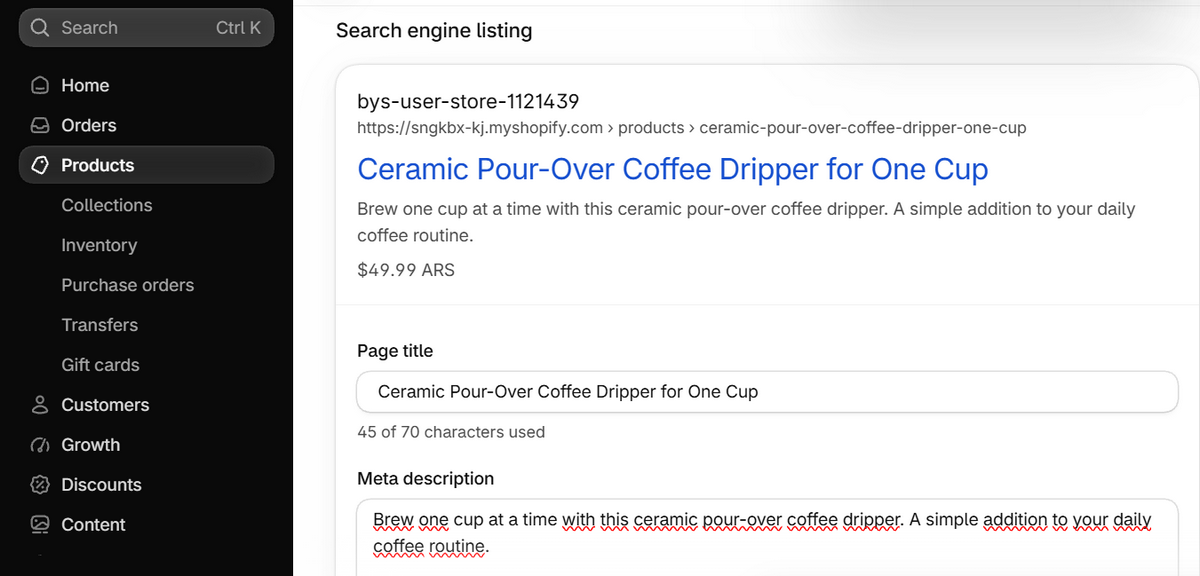
Here’s what I’d enter:
- Page title: Ceramic Pour-Over Coffee Dripper for One Cup
- Meta description: Brew one cup at a time with this ceramic pour-over coffee dripper. A simple addition to your daily coffee routine.
Notice how the main keyword fits naturally into both? The title tells shoppers exactly what they’re getting, while the description gives them a reason to click. That’s the balance you’re after.
URL Handle
While you’re in the same editor, look for the URL handle field. This controls the final part of your product page’s web address.
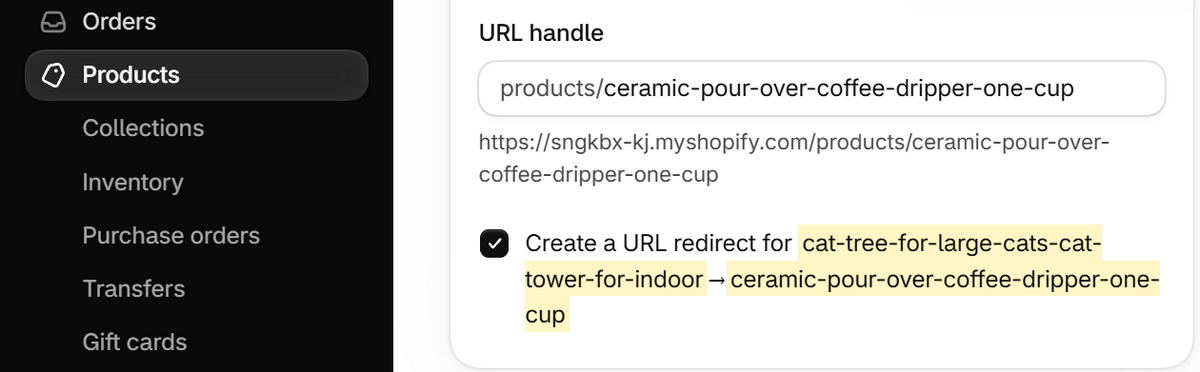
For our dripper, I’d use:
URL handle: ceramic-pour-over-coffee-dripper-one-cup
That gives us a readable product URL ending in /products/ceramic-pour-over-coffee-dripper-one-cup.
Short, descriptive, and easy to understand. Keep the words separated by hyphens rather than spaces, and leave out unnecessary product codes or technical jargon.
🆕 Beginner’s Tip: Changing the URL of an existing product? Make sure Shopify creates a redirect from the old address to the new one. That way, shoppers following existing links or bookmarks can still find your product.
Product and Collection Descriptions
Next up: the text shoppers actually read on your website. Your keywords should appear naturally in these descriptions, particularly near the beginning, where they help establish what the page is about.
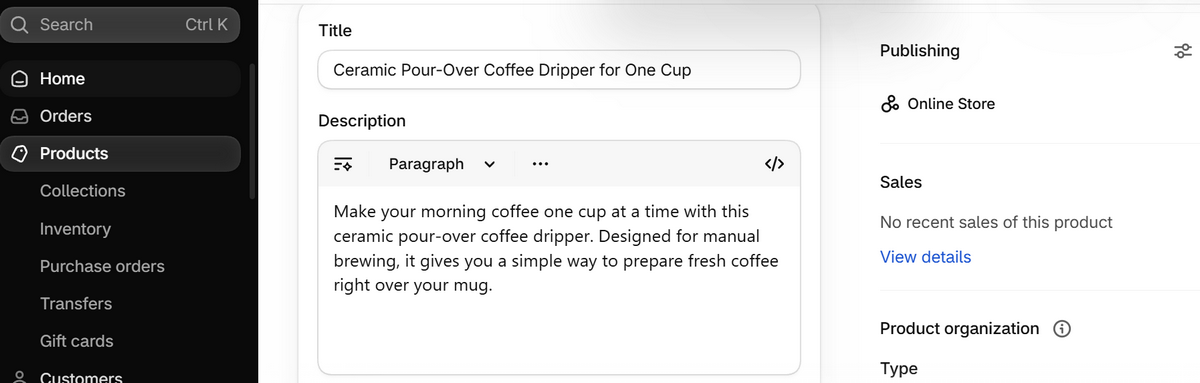
For the product description, go to Products, select your coffee dripper, and find the Description field. Here’s a possible opening:
Make your morning coffee one cup at a time with this ceramic pour-over coffee dripper. Designed for manual brewing, it gives you a simple way to prepare fresh coffee right over your mug.
Now, let’s zoom out to the broader category. Head to Products > Collections, open your pour-over coffee collection, and edit its Description field.
For example:
Browse our selection of pour-over coffee makers, from ceramic drippers to other manual brewing essentials. Find the setup that suits your coffee routine.
See how the focus changes? The product description targets a specific item, while the collection description speaks to shoppers exploring a range of options.
Image File Names and Alt Text
Images deserve some attention, too. And the good news is that optimizing them doesn’t require any technical expertise. Before uploading your product photo, give the file a descriptive name instead of leaving it as something like IMG_4582.jpg.
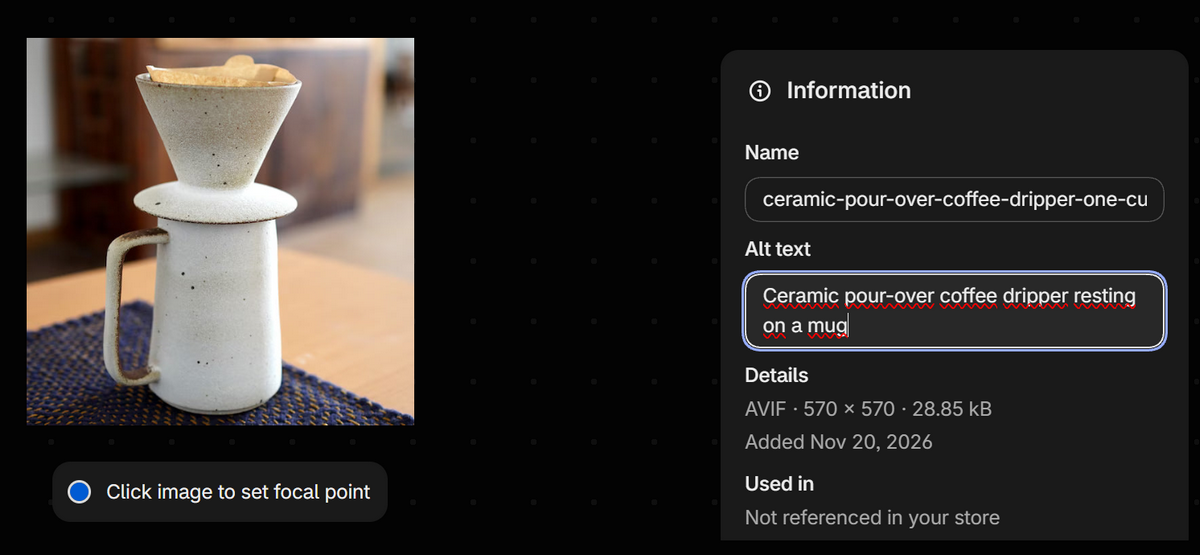
For our example, that could be:
Image file name: ceramic-pour-over-coffee-dripper-one-cup.jpg
Then, in Shopify, go to Products, open the product, and click its image in the media section. Select Add alt text and describe what the image actually shows. For a photo of the dripper resting on a mug, I’d write:
Alt text: Ceramic pour-over coffee dripper resting on a mug.
Alt text helps people using screen readers understand your images and gives search engines additional context. Include relevant keywords when they genuinely describe what’s pictured, not just because you want another place to fit them.
Blog Posts That Answer a Specific Question
Finally, remember those question keywords from our earlier research? They belong in content that genuinely answers what shoppers want to know. Go to Content > Blog posts in your Shopify admin and click Add blog post.
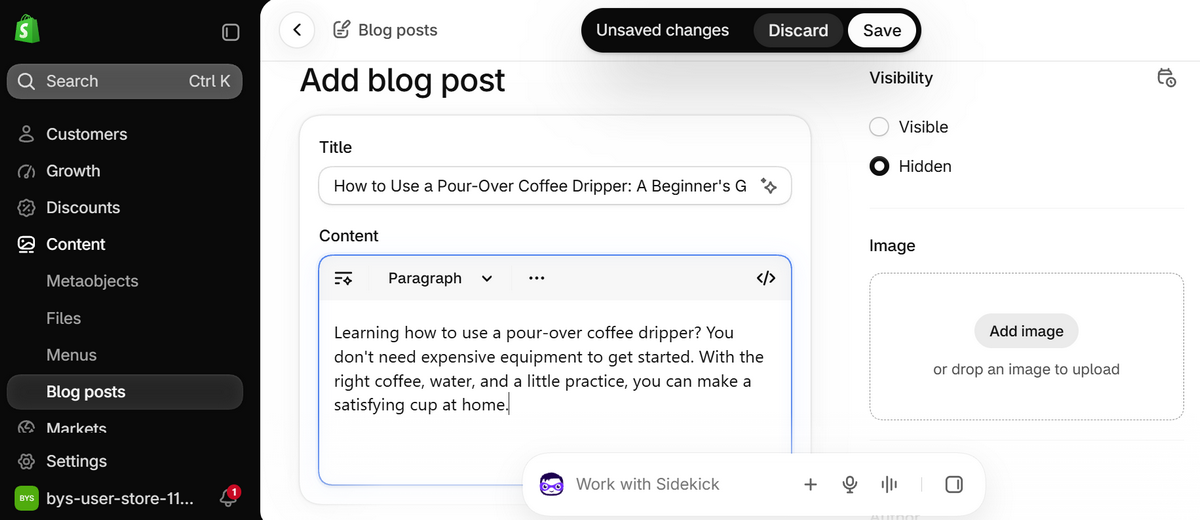
For our item, we could create an article using the following:
- Title: How to Use a Pour-Over Coffee Dripper: A Beginner’s Guide
- Opening paragraph: Learning how to use a pour-over coffee dripper? You don’t need expensive equipment to get started. With the right coffee, water, and a little practice, you can make a satisfying cup at home.
Continue with clear brewing instructions, helpful tips, and a natural link to your ceramic dripper product page where relevant. You can also edit the blog post’s Search engine listing to give it a descriptive SEO title, meta description, and URL handle, just as you did for the product.
What Not to Do: Keyword Stuffing
More keywords don’t automatically mean better SEO. Repeating “ceramic pour-over coffee dripper” in every sentence won’t help your page rank higher. It’ll just make your product description awkward to read. Google even considers excessive keyword repetition a spam practice.
And forget about meta keyword tags. Despite what you might have heard, Google ignores them entirely. There’s no hidden keyword field you need to fill out. The rule is simple: use your keywords where they make sense, and write for the people who’ll actually read your pages.
Common Keyword Research Mistakes Beginners Make
Getting started with SEO is easier when you know what to avoid. Before putting your keyword strategy into action, watch out for these five common mistakes:
- Chasing high-volume keywords. Everyone wants to rank for “coffee maker,” but competing with established retailers is a tough starting point. Smaller, more specific searches often give new stores a better shot.
- Copying supplier product names. Your supplier’s technical descriptions aren’t necessarily what shoppers type into Google. Use the language your customers actually understand and search for.
- Targeting the same keyword on multiple pages. If several pages compete for the same search intent, Google may struggle to identify which one is most relevant. Give each page a distinct focus.
- Stuffing keywords everywhere. Repeating the same phrase in every title, description, and paragraph won’t magically improve your rankings. It just makes your content harder to read.
- Treating keyword research as a one-time task. Search behavior changes, and so does your store’s performance. After a few months, check Google Search Console to see which queries are bringing impressions and clicks, then adjust your strategy accordingly.
Frequently Asked Questions
What’s the difference between keyword research for SEO and researching products to sell?
The difference between SEO keyword research and product research comes down to their purpose. Product research helps you decide what to sell, while keyword research helps shoppers find what you’re already selling. One identifies potential products; the other identifies the search terms customers use to look for them.
What free tools can a beginner use for ecommerce keyword research?
Beginners can use Google Autocomplete and Related Searches to gather keyword ideas, Google Keyword Planner to estimate search demand, and Google Search Console to monitor queries their store already appears for.
Where should keywords actually go on a Shopify product page?
On a Shopify product page, keywords belong in the SEO page title, meta description, URL handle, and product description. You can also include them in image alt text when they accurately describe what’s pictured. Keep everything natural and useful for shoppers.
How many keywords should one product page target?
A Shopify product page should generally target one primary keyword and a few closely related variations. More than a fixed number, what matters is that every phrase fits the product and the searcher’s intent.
How long does it take for Shopify SEO to start driving traffic?
Shopify SEO can take several months to generate meaningful organic traffic, especially for a new store. Google needs time to discover and evaluate your pages, and results depend on competition, content quality, and other factors. Keep building visibility through ads and social media in the meantime.
Should a new store target broad, high-volume keywords or narrower ones first?
A new store is usually better off targeting narrower, more specific keywords first. They may attract fewer searches, but they can offer a more realistic opportunity to compete and reach shoppers looking for exactly what you sell.
How many keywords should one page target?
Each page should focus on one main search intent, supported by relevant keyword variations. You don’t need separate pages for every slightly different phrase, especially when those searches are looking for the same thing.
How long does it take for keywords to work?
Keywords can take weeks or months to contribute to measurable SEO improvements, depending on your site’s existing visibility and competition. Adding them doesn’t guarantee higher rankings, so use Google Search Console to track impressions and clicks over time.
Your Next Step: A Smarter Keyword Strategy
Getting your Shopify store noticed on Google starts with understanding how your customers search. And as you’ve seen, ecommerce keyword research doesn’t have to be complicated or expensive.
Throughout this guide, we’ve used a simple product to put that idea into practice: finding the phrases shoppers use, weighing our options, and matching each keyword to the right Shopify page. Nothing overly technical. Just a practical process you can repeat with every new product.
My advice? Start small. Pick one item, research a handful of relevant keywords, and put them to work on its Shopify page. Then give your changes time, monitor your performance in Google Search Console, and keep refining your approach. SEO won’t bring customers instantly. But every useful page built around the way people actually search gives your store another opportunity to reach someone looking for what you sell.
Looking to go deeper? These articles are a natural next stop on your learning journey: